 Ted Tschopp
Quick Study Painter
Paint a photo in oil, watercolor, pointillist, gouache, soft pastel, or palette knife style, then download a textured PNG. All image processing stays in your browser.

What it does
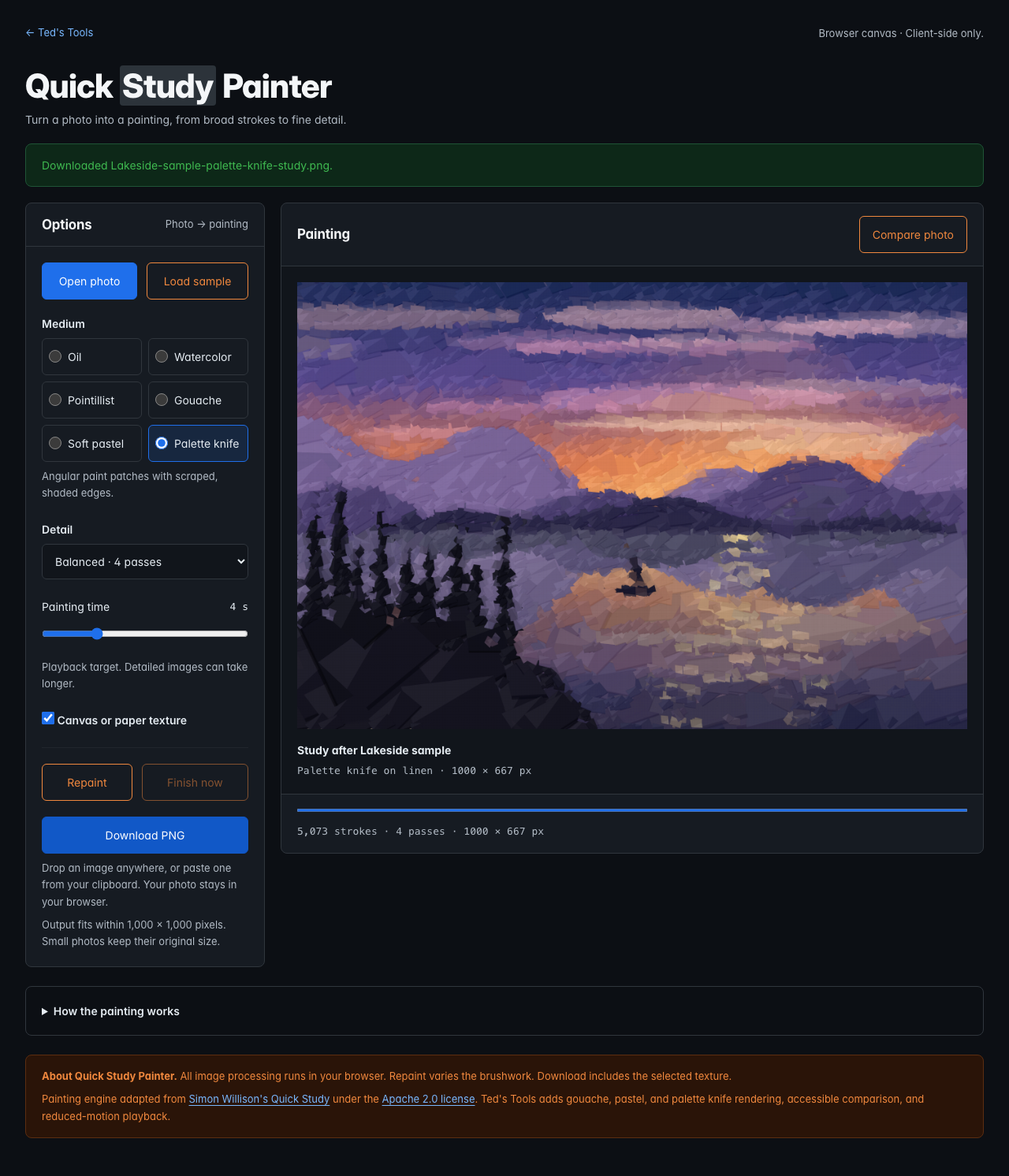
Quick Study Painter recreates a photo with successive layers of brushwork. Choose from six rendering styles, then compare the finished study with your original image and download a PNG.
| Style | Brushwork |
|---|---|
| Oil | Layered bristle strokes on toned linen. |
| Watercolor | Translucent washes on cold-press paper. |
| Pointillist | Overlapping dots with varied color. |
| Gouache | Opaque, matte strokes with broad areas of color. |
| Soft pastel | Broken pigment marks, soft edges, and visible paper grain. |
| Palette knife | Angular patches with a lit facet and a scraped edge. |
How to use it
- Open Quick Study Painter.
- Choose Open photo, drop an image onto the page, or paste an image from your clipboard. Load sample restores the built-in lakeside scene.
- Pick a medium and a detail level. These settings repaint the current image.
- Set the painting time, or choose Finish now to skip the timed playback.
- Toggle Compare photo to view your original. The button works with a mouse, touch, Enter, or Space.
- Choose whether to include texture, then select Download PNG after painting finishes. Repaint creates a different arrangement of strokes.
How the formulas work
The engine builds blurred RGB references at several brush sizes. It measures the color difference between each reference and the current canvas using Euclidean RGB distance. Where the error is large, it places another stroke.
Sobel gradients of the image’s luminance guide each stroke along nearby edges. The engine starts with large brushes and adds finer layers. Oil uses separate bristle marks, watercolor uses translucent strokes, and pointillism uses dots. Gouache uses opaque strokes with a restrained palette. Soft pastel scatters short pigment marks along the stroke direction. Palette knife builds angular patches with shaded edges that suggest ridges of paint.
Limits and privacy
- Images fit within 1,000 × 1,000 pixels while preserving their aspect ratio. Smaller images keep their original size.
- Transparent images receive a white background before painting.
- Your image is processed locally. It is not uploaded or stored by the tool.
- PNG export includes the selected texture. The playback time is a target; detailed images and slower devices may take longer.
- Your system’s reduced-motion preference skips the timed playback.
Source and license
The painting engine and procedural sample scene are adapted from Simon Willison’s Quick Study, using source revision baad46ac. The adaptation adds Ted’s Tools styling, keyboard comparison, bounded image sizing, loading cancellation, reduced-motion playback, and guarded PNG export. Gouache, soft pastel, and palette knife use renderers added for Ted’s Tools. The Apache 2.0 license ships with the tool.
Details
- JavaScript
- Canvas 2D
- HTML
- CSS
Features
- Oil bristles, watercolor washes, and pointillist dots
- Matte gouache, grainy soft pastel, and angular palette knife marks
- Three detail levels with coarse-to-fine painting passes
- Photo upload, drag-and-drop, and clipboard image paste
- Keyboard-accessible original-photo comparison
- Optional linen or paper texture included in PNG export
- Reduced-motion playback and a Finish now control
- Local sample scene with no photo upload or remote rendering
Screenshots