 Ted Tschopp
Browser OCR Workspace
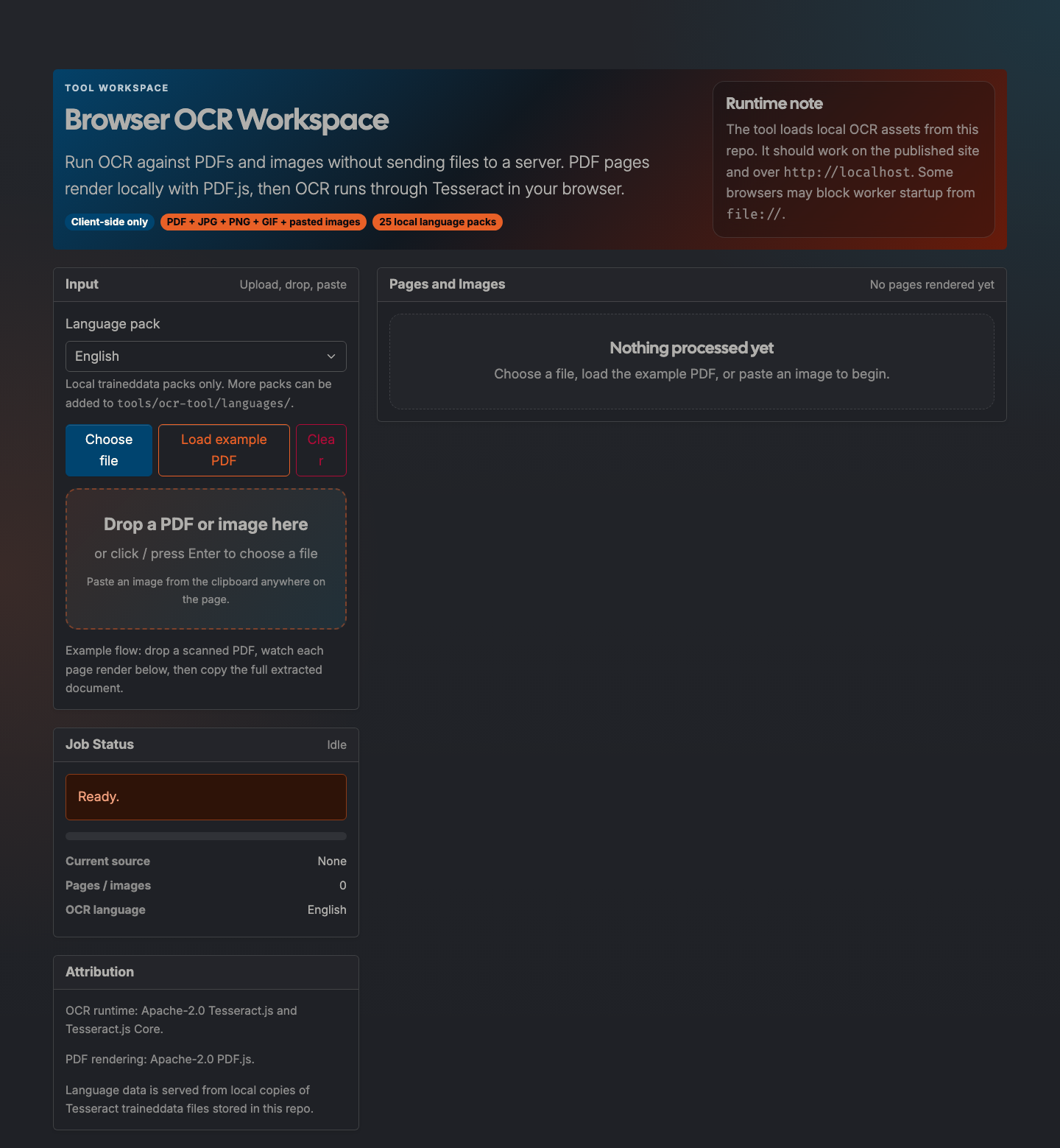
Client-side OCR for PDFs and images using local PDF.js and Tesseract runtimes, with browser-cached language downloads, per-page output, and a combined full-document view.
BETA
webapp
Updated April 1, 2026

What it does
Browser OCR Workspace extracts text from PDFs and images without uploading files to a server.
The workflow is intentionally inspectable: each rendered page or image is shown next to the extracted text so you can review OCR quality before copying the combined document.
How to use it
- Open: https://tedt.org/tools/ocr.html
- Choose an OCR language pack. The first use of a language downloads the traineddata into the browser cache.
- Drop a PDF or image, choose a file, paste an image, or load the bundled example PDF.
- Review each page/image result.
- Copy the full document from the combined output panel.
Notes
- The PDF.js and Tesseract runtime assets are vendored locally.
- Language data is fetched on demand from the public Tesseract.js data packages and cached by the browser.
- Worker-based OCR is most reliable on the deployed site or over
http://localhost.
Details
Tech
- JavaScript
- HTML
- CSS
- PDF.js
- Tesseract.js
License
Mixed: tedt.org tool code plus Apache-2.0 vendored OCR/PDF runtimes
Tags
ocr
pdf
image
tesseract
pdfjs
javascript
tools
Features
- Runs OCR entirely in the browser with local runtime assets and browser-cached language downloads
- Accepts PDFs, JPG, PNG, GIF, and pasted clipboard images
- Renders PDF pages before OCR so each page can be reviewed independently
- Produces per-page textareas plus a combined full-document output
- Includes an on-demand catalog of OCR language packs
Screenshots