 Ted Tschopp
Markdown Front Matter Workbench
Convert formatted clipboard or file content into safe Markdown, edit complete documents, validate YAML front matter, and preview or export the result locally.
ACTIVE
webapp
Updated August 17, 2026
What it does
Markdown Front Matter Workbench is a client-side authoring and conversion tool. Use it to edit a complete Markdown document or to turn formatted content copied from a document, web page, or email into clean Markdown.
The workspace separates two concerns:
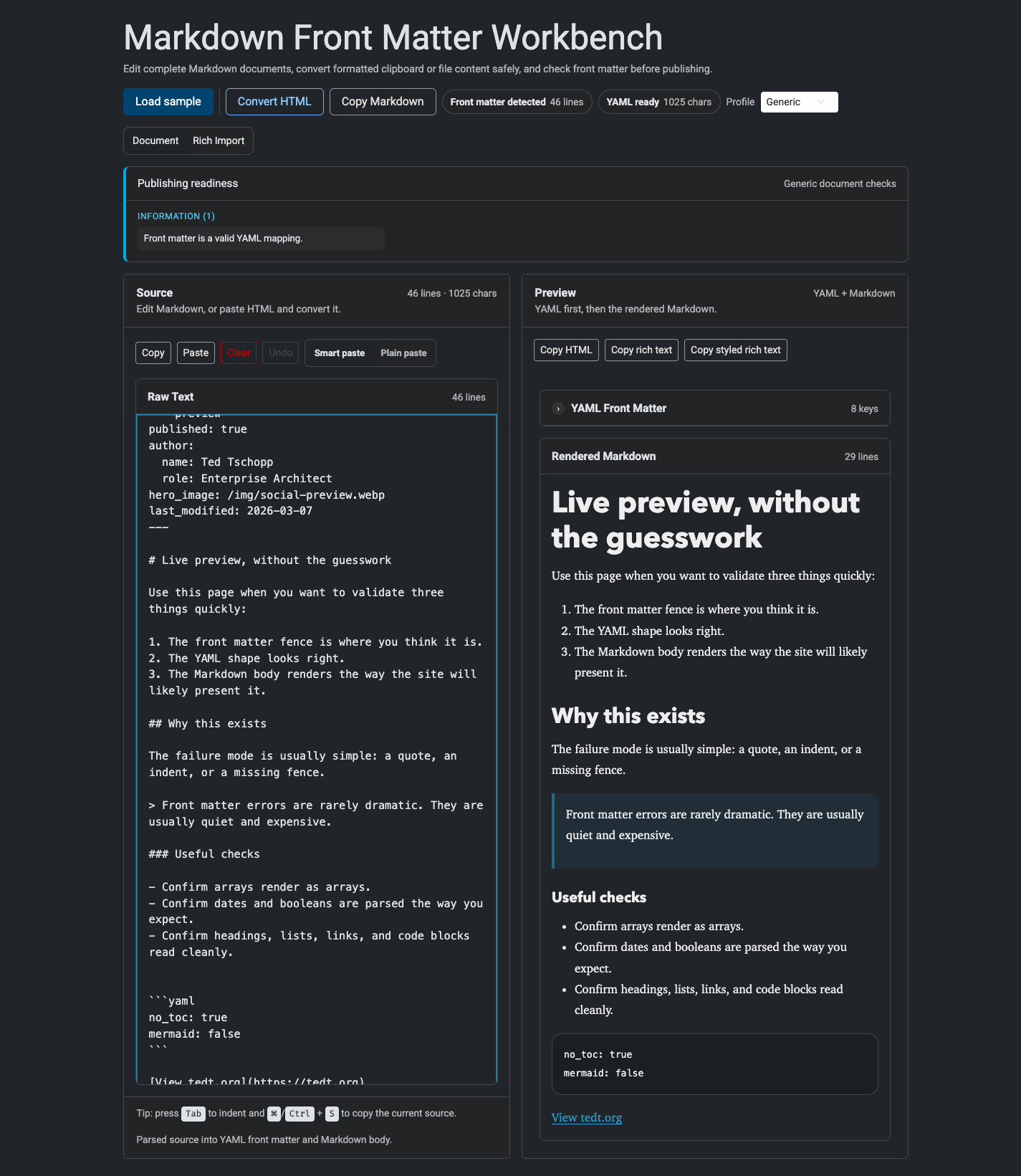
- Document keeps YAML front matter and Markdown together with a live preview.
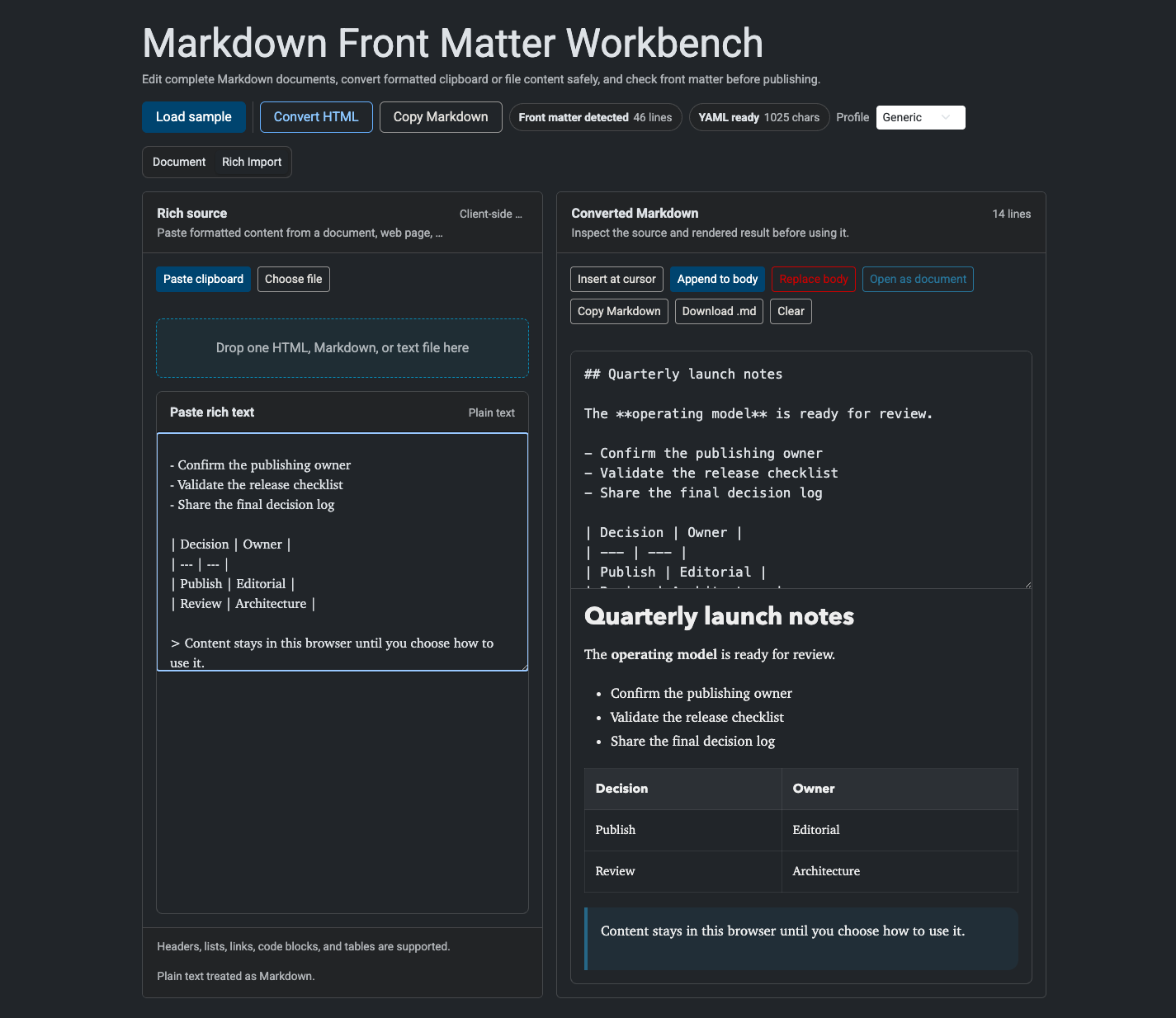
- Rich Import sanitizes formatted clipboard or HTML content, converts it to Markdown, and lets you inspect it before changing the active document.
Smart paste can insert converted content into the Markdown body, but it will not overwrite front matter. If a rich paste targets YAML, the tool moves the conversion into Rich Import and leaves the document unchanged.
How to use it
- Open: https://tedt.org/tools/markdown-frontmatter-preview.html
- Use Document for a complete Markdown file with optional YAML front matter.
- Choose Smart paste to convert rich clipboard HTML inside the Markdown body, or Plain paste for normal clipboard behavior.
- Use Rich Import to paste formatted content or load one
.html,.htm,.md,.markdown, or.txtfile up to 5 MiB. - Inspect and edit the converted Markdown, then insert it at the document cursor, append it, replace the body, copy it, or download it.
- Switch to the Tedt.org profile for bounded authoring checks based on this repository’s common front matter contracts.
Screenshots


Notes
- If no front matter fence is detected, the tool renders the whole blob as Markdown.
- If the opening fence exists but the closing fence is missing, the tool stops and shows the fence error clearly.
- Rich HTML is sanitized with DOMPurify before Turndown converts it, and rendered Markdown is sanitized again before preview.
- YAML parsing uses
js-yaml; Markdown rendering uses a pinned version ofmarked. - The active document and small UI preferences are stored only in localStorage. Legacy document cookies are migrated once and deleted.
- Clipboard actions include source copy, HTML copy, rich text copy, and styled rich text copy where the browser context allows it.
- Direct DOCX/RTF parsing, remote URL loading, Liquid execution, and server-side validation are intentionally out of scope.
Details
Tech
- JavaScript
- HTML
- CSS
- DOMPurify
- Turndown
License
MIT
Tags
markdown
yaml
frontmatter
rich-text
html
preview
editor
javascript
tools
Features
- Editable source pane for full Markdown + YAML front matter blobs
- Second-column preview with collapsible YAML metadata above rendered Markdown
- Live parsing with front matter fence and YAML error states
- Smart or plain paste behavior with front matter protection
- Sanitized rich-text and HTML conversion with GFM tables, lists, links, and code
- Clipboard, drag-and-drop, and file import for HTML, Markdown, and text
- Insert, append, replace, undo, copy, and Markdown download workflows
- Generic and optional Tedt.org publishing-readiness profiles
- Copy source, copy HTML, rich text export, and styled rich text export
- LocalStorage-only drafts and remembered UI preferences
- Runs entirely in the browser without uploading document content
Screenshots