 Ted Tschopp
Open the tool
Image Tools lives here:
Everything runs locally in your browser (no uploads).
What it includes
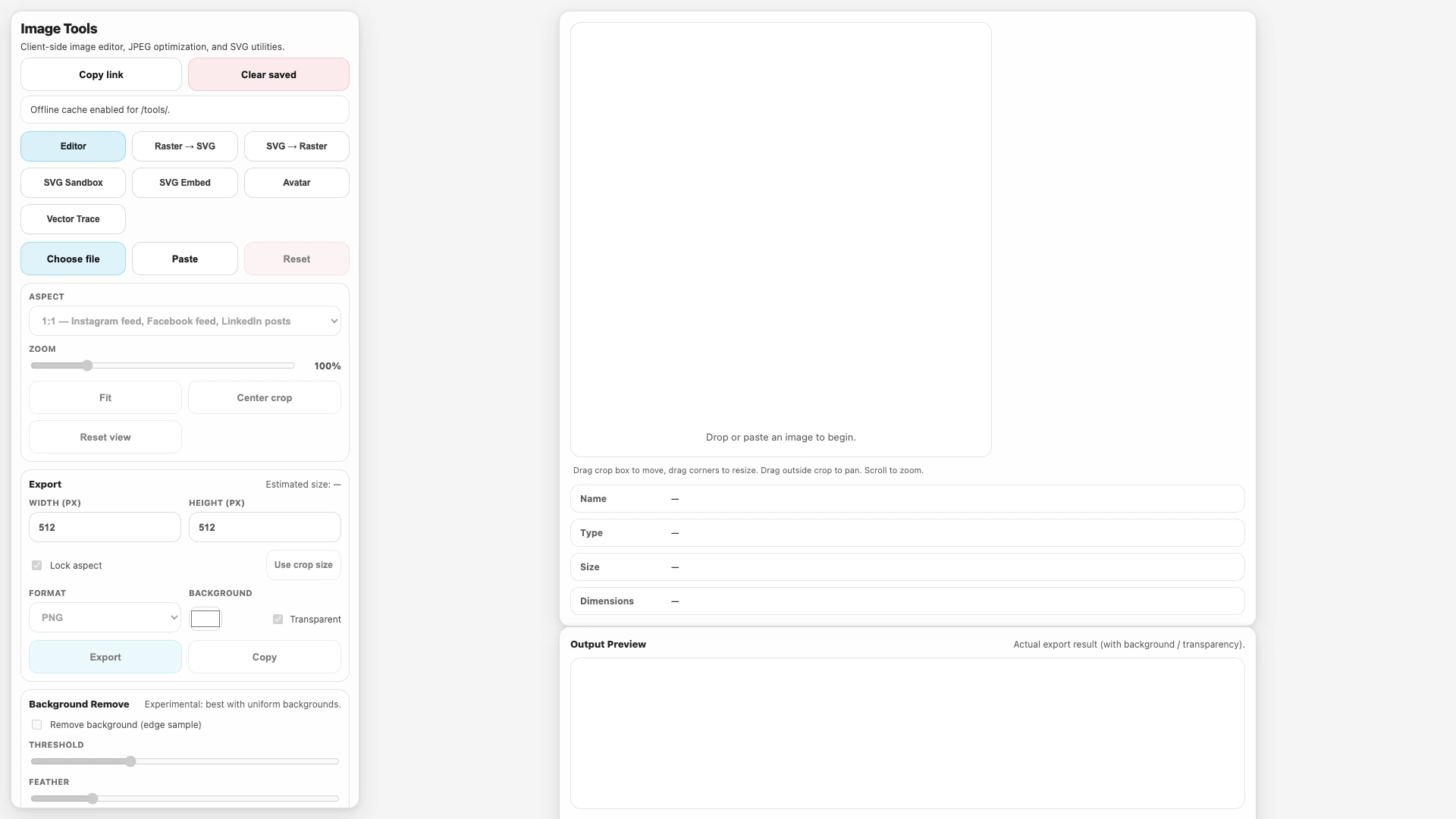
Image Tools is a single-page toolkit with a few focused “tabs”:
- Editor: crop/zoom, resize, export (PNG/JPEG), plus a small JPEG quality comparison view.
- Raster → SVG: wraps a raster image into an SVG using an
<image href="data:…">element.- This is not vector tracing. It preserves pixels; it just packages them in SVG.
- SVG → Raster: sanitizes SVG input, renders it to a canvas, then exports to PNG/JPEG.
- SVG Sandbox: sanitizes and previews SVG, showing the sanitized source.
- SVG Embed: sanitizes SVG and generates an
<img>tag / data URI. - Vector Trace: an embedded iframe of the standalone tracing tool.
Design goals
The tool is built around a few constraints:
- Client-side only: no server calls, no telemetry, no background uploads.
- Immediate feedback: the preview updates as you change settings.
- Safe-by-default SVG handling: pasted SVG is treated as untrusted input.
- Portability: the “Copy link” button captures the current settings in the URL.
Sharing + persistence
Image Tools persists settings, not your original image.
- URL state: key settings (active tab, output size, format, background options, etc.) are encoded into the page URL as query parameters.
- Local state: settings are also saved to
localStorageso a refresh restores your last-used configuration. - Text fields: SVG text areas (in the SVG tabs) are saved to
localStoragewith a size cap to avoid runaway storage usage.
If you want to share a configuration, use Copy link.
Offline cache scope (service worker)
Image Tools registers a service worker to support offline use after the first load:
- The service worker is tools/image-tools-sw.js.
- The cache is intentionally scoped to
/tools/so it doesn’t affect the rest of the site. - It pre-caches the Image Tools HTML/CSS/JS plus the consolidated fonts stylesheet.
Notes:
- Service workers require a secure context (HTTPS or localhost).
- When online, navigation requests prefer the network first; when offline, cached resources are used as a fallback.
SVG sanitization model (what gets removed)
SVG is powerful enough to be dangerous, especially when it’s pasted from untrusted sources.
Before rendering SVG (or generating embed tags), Image Tools sanitizes input with a strict allowlist mindset:
- Removes scripting/embedding primitives like
script,foreignObject,iframe,object, andembed. - Strips all inline event handlers (
onload,onclick, …). - Removes
javascript:URLs anywhere they appear. - Restricts link-like attributes (
href,xlink:href,src) to safe forms (internal fragments like#idordata:URLs). - Sanitizes
<style>blocks by stripping@importand removing externalurl(...)references.
Important limitation:
- This is a risk-reduction measure, not a formal security guarantee. Treat untrusted SVG cautiously even when sanitized.